Example 2: Sending data from two gadgets to a single gadget
This example illustrates how to send data from two different Opportunity List gadgets to one Opportunity Summary gadget. Links can be set up from an opportunity summary gadget (Opportunity Summary), to an opportunity list gadget for an individual user (My Opportunities), and to an opportunity list gadget for a team (Team Opportunities).
In this example, both opportunity list gadgets are senders, and the summary gadget is the receiver. This can save you space on your dashboard, as you can easily toggle the view on a single receiver gadget between the two sender gadgets.
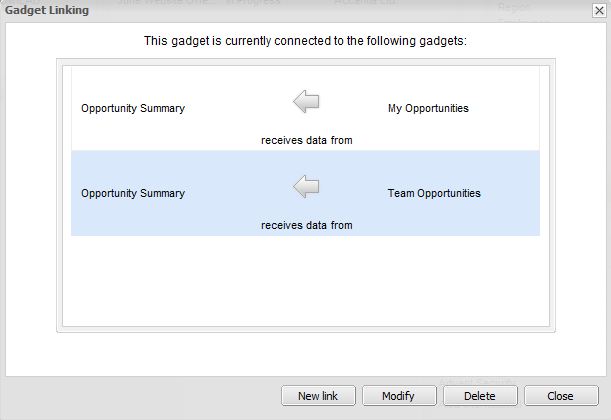
When the user scrolls through their own list of opportunities, the summary gadget shows the details of each of their own opportunities. Click over to the list of team opportunities and scroll through - the summary gadget show the details of each of the team's opportunities.